Webex Video Conference Review
Download and setup notes for Webex Video Conference. Useful links are listed below.
Download starts through this site’s download flow (operator MySoft package when uploaded).
Webex Video Conference DownloadFree for PC · site download
Overview
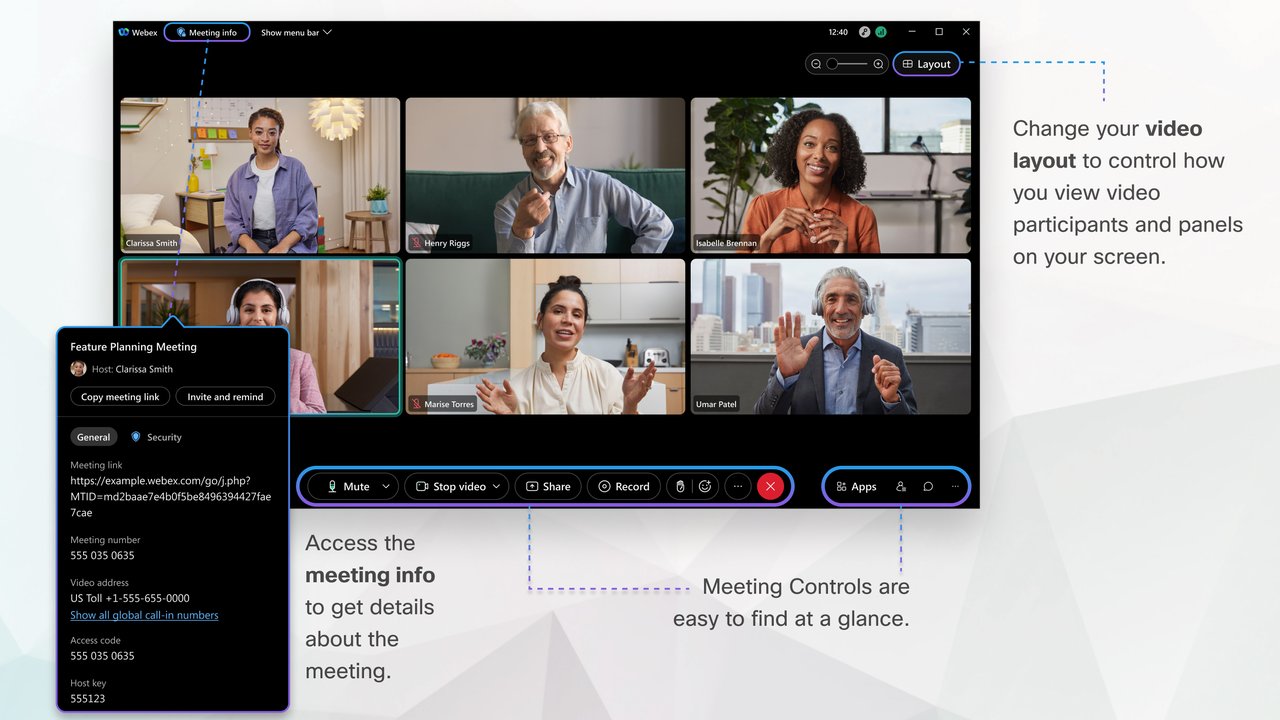
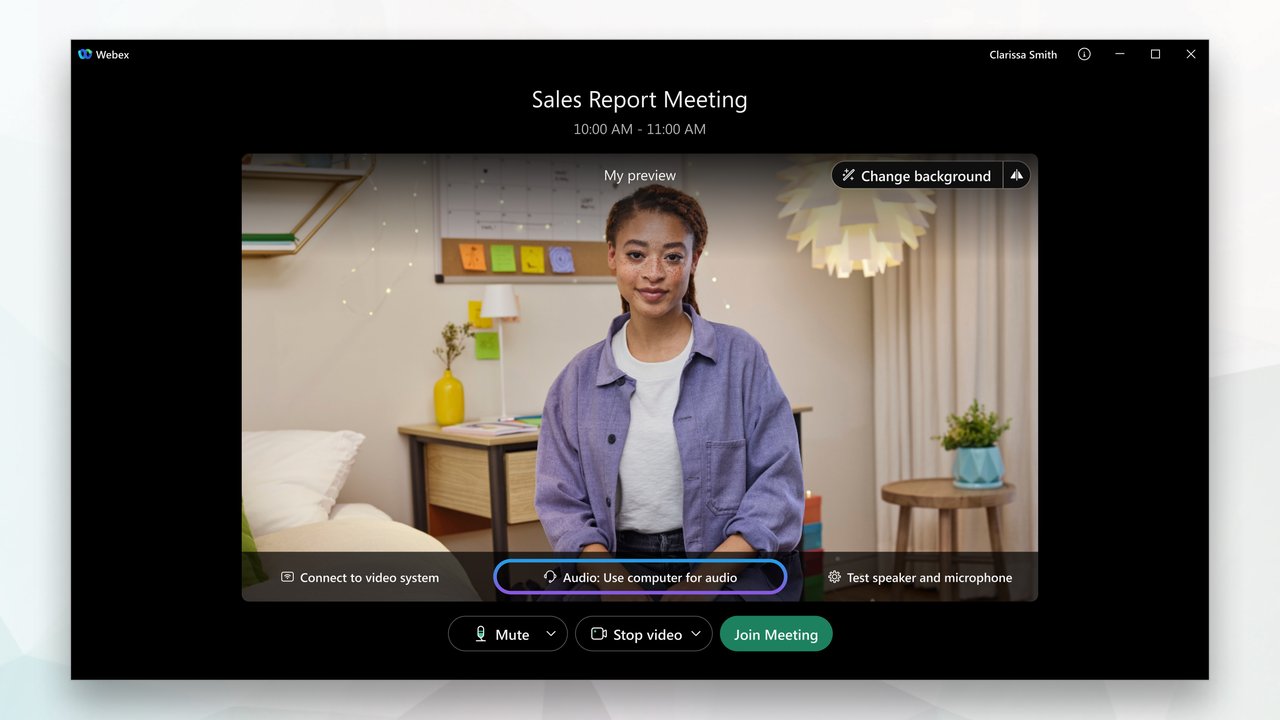
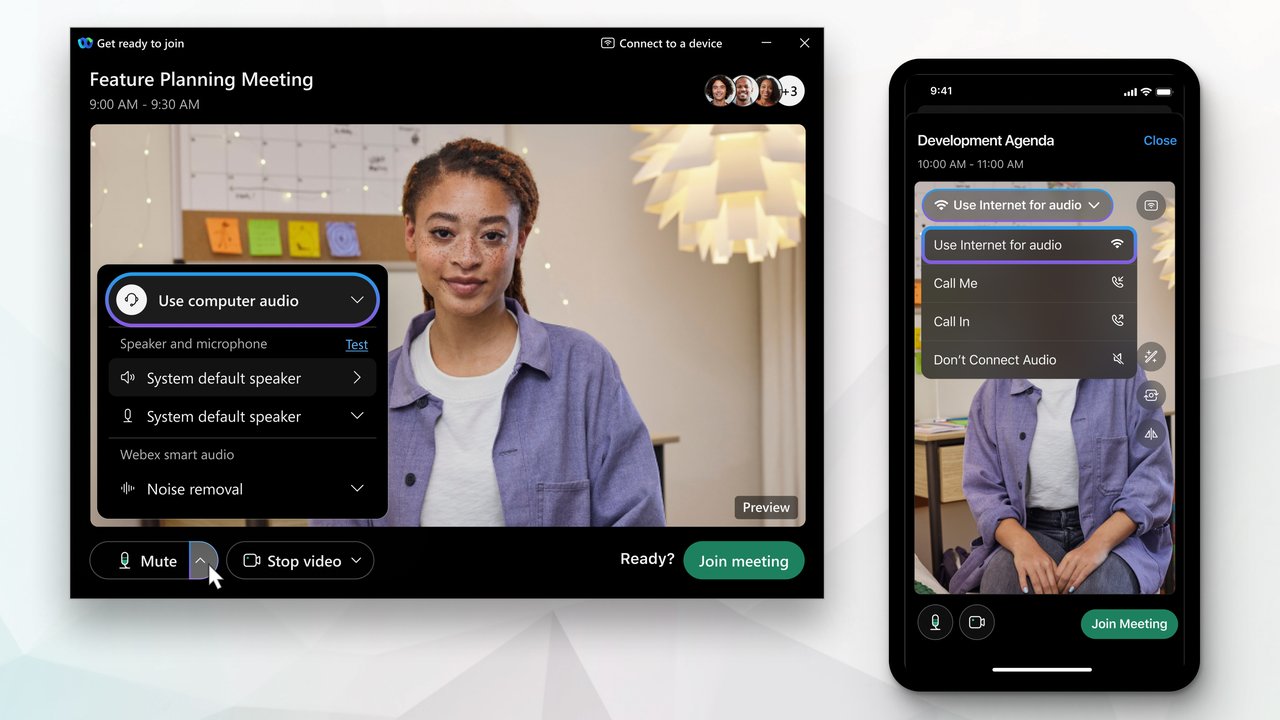
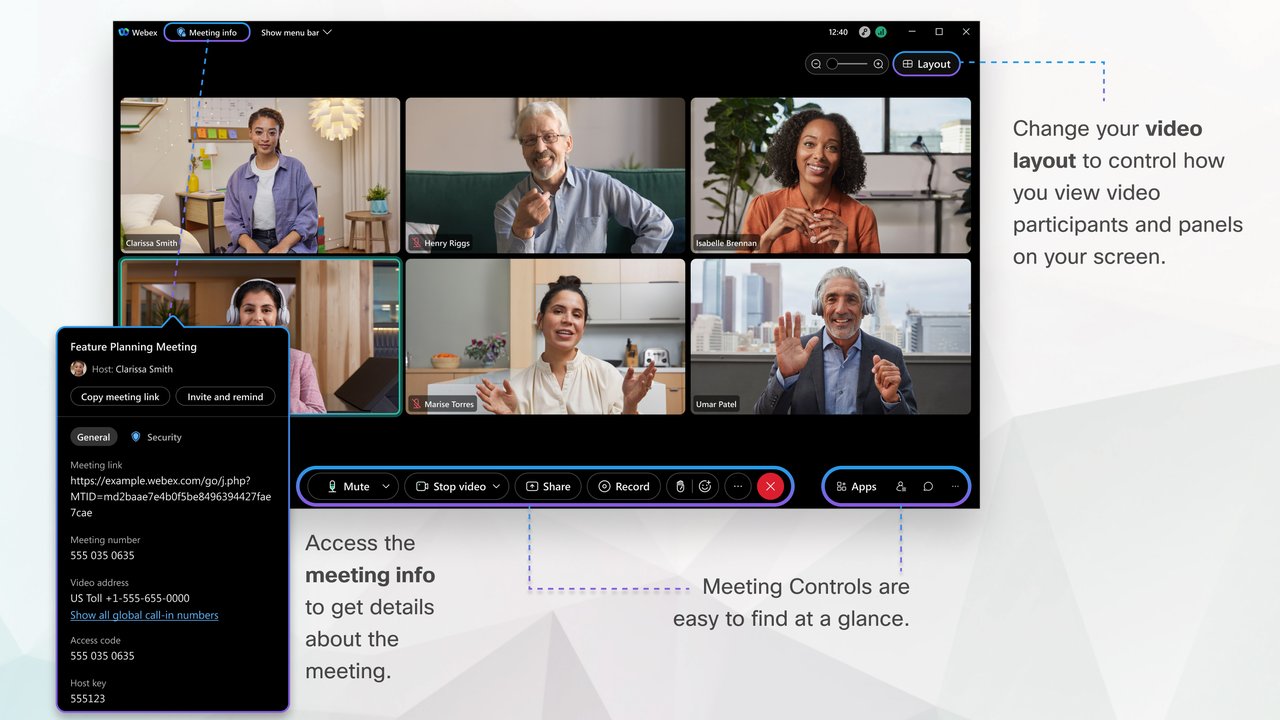
Cisco Webex App on Windows covers meetings from home/join dialogs through in-meeting controls and device selection. This guide explains install, joining, toolbar basics, AV device setup, and settings — with software UI screenshots of the Windows client.
Why Choose Webex Video Conference
- Full Windows Webex meeting client UI
- Join and in-meeting flows with captions
- AV device selection guidance
- Settings for notifications and defaults
- Strong SEO pages for Webex on Windows
Key Features
Webex video conference for Windows is documented here with UI-first steps: install, join, in-meeting controls, and devices. Screenshots help new users map toolbar icons without a live meeting coach. Prefer official Webex downloads when your org standardizes on a channel.
- Home & schedule: See upcoming meetings and join entry points.
- Join dialog: Enter meeting numbers/links quickly.
- In-meeting toolbar: Mute, video, share, participants, leave.
- Device picker: Choose mic/speaker/camera per room.
- Settings: Tune notifications and general options.
Screenshots
System Requirements
| Component | Minimum Requirement |
|---|---|
| Operating System | Windows 10 / 11 (64-bit) |
| Architecture | x64 |
| RAM | 4 GB |
| Disk | 200 MB free |
| Network | Internet for activation / VPN / cloud features |
Technical Specifications
| Operating System | Windows 10 / 11 (64-bit) |
|---|---|
| Architecture | x64 |
| RAM | 4 GB |
| Disk | 200 MB free |
| Network | Internet for activation / VPN / cloud features |
Pros and Cons
Pros
- Full Windows Webex meeting client UI
- Join and in-meeting flows with captions
- AV device selection guidance
- Settings for notifications and defaults
- Strong SEO pages for Webex on Windows
Cons
- Feature availability for Webex Video Conference depends on your organization policy and license.
- Always prefer allowlisted downloads from this guide or the vendor site.
- UI labels can vary slightly between builds — screenshots may differ from your package.
Webex Video Conference Setup in 5 Steps
- Install Webex. Download from [softzenix.pro](https://softzenix.pro/webex-video-conference/) and install the Windows app.
- Join a meeting. Use Join with meeting number/link from the home UI.
- Use in-meeting controls. Mute, video, share, and leave from the meeting toolbar.
- Pick devices. Select speaker, microphone, and camera before important calls.
- Configure settings. Adjust notifications and general preferences.
Recommendations
- Download Webex Video Conference through this guide page or the official vendor channel.
- Confirm Windows 10/11 and free disk space before running setup.
- Keep the client updated when your vendor publishes security fixes.
Software Details
| Package | Webex Video Conference for Windows |
|---|---|
| Release | latest |
| Platform | Windows |
| License | Proprietary (Cisco Webex EULA) |
| Guide URL | https://softzenix.pro/webex-video-conference/ |
Useful Links
- 🌐 Download page — Windows guide
- 📥 Webex downloads — Official installer
Frequently Asked Questions
Where does the Download button go?
It uses this site’s download flow (MySoft package when uploaded; otherwise the allowlisted official package).
Do screenshots match my build?
Screenshots show the software UI and may differ slightly from the download build version.
Is this the vendor website?
No — this is an independent Windows download/setup guide with UI documentation.
User Reviews
Short reader notes about Webex Video Conference and this guide on softzenix.
-
★★★★☆
“Trusted Webex Video Conference page”
-
★★★★★
“Great soft and site”
-
★★★★★
“Trusted download link here”
-
★★★★★
“Solid Webex Video Conference guide”
-
★★★★★
“Site made setup easy”
-
★★★★☆
“Clean download worked fine”
-
★★★★★
“No confusing mirror links”
-
★★★★★
“Solid Windows desktop client”
-
★★★★★
“No spam just guidance”
-
★★★★★
“Smooth Windows 11 install”
-
★★★★☆
“Webex Video Conference download was”
-
★★★★★
“Perfect for first install”
-
★★★★★
“Bookmarking this software page”
-
★★★★★
“Loved the screenshot section”
-
★★★★★
“Exactly what I needed”
-
★★★★☆
“Works well after install”
-
★★★★★
“Clear licensing and links”
-
★★★★★
“Clear Webex Video Conference setup”
-
★★★★★
“Clear steps no fluff”
-
★★★★★
“Good notes for admins”
-
★★★★☆
“Webex Video Conference installs cleanly”
-
★★★★★
“Helpful screenshots and notes”
-
★★★★★
“Setup steps were accurate”
-
★★★★★
“Simple and very reliable”
Leave a review
Share a short note about Webex Video Conference. Reviews are moderated before they appear.